From a crowded dashboard to a console built for action.
Redesigning Deep Instinct’s cybersecurity dashboard into a management console that helps security teams grasp critical insights quickly, act on threats, and shape the view around their work.
- Client
- Deep Instinct
- Product
- Threat prevention management console
- My role
- Head of Design
- Scope
- UX, UI, accessibility & React re-architecture
- Timeline
- 2024-2025
The challenge
The original dashboard was dated and hard to use: repetitive data, horizontal scrolling, little flexibility, and vital information buried.
The mandate
Make critical insights quick to grasp and threats easy to manage — with stronger storytelling, deeper drill-down and views customers can tailor.
The outcome
A management console with an integrated dashboard, light and dark modes, WCAG AA accessibility and a new React front end.
01
Context
Deep Instinct is a prominent B2B cybersecurity company. Its customers rely on a dashboard to understand and respond to threats across their organization — and that dashboard had fallen behind.
The interface repeated information, forced horizontal scrolling and offered few ways to customize. The data that mattered most was hard to find, and nothing invited people to explore further. What began as a dashboard refresh grew into a full management console.
The console manages DSX, Deep Instinct’s data security platform. Its deep learning framework, DSX Brain, stops zero-day malware and ransomware without signatures or cloud lookups, across cloud storage, NAS, applications and endpoints. In November 2024 Deep Instinct extended it to Amazon S3, certified by AWS. That speed is why the console leads with severity: when a verdict takes milliseconds, the interface is where a team’s time goes.
>99%
accuracy against unknown threats
<20 ms
to a prevention verdict, per file
<0.1%
false-positive rate
Deep Instinct’s published figures. Sources: deepinstinct.com/dsx · Business Wire, Nov 2024
02
Key decisions
Grow the dashboard into a console
The call
Build a management console with the dashboard as an overlay, so customers can drill into data and customize their views.
Alignment
We made the case through research with existing Deep Instinct users, and by getting the product team in a room for a few weeks of discovery before we built anything.
Make severity impossible to miss
The call
Prominent threat-severity indicators, and two streams — preventative and detected — so teams can plan their actions.
The choice
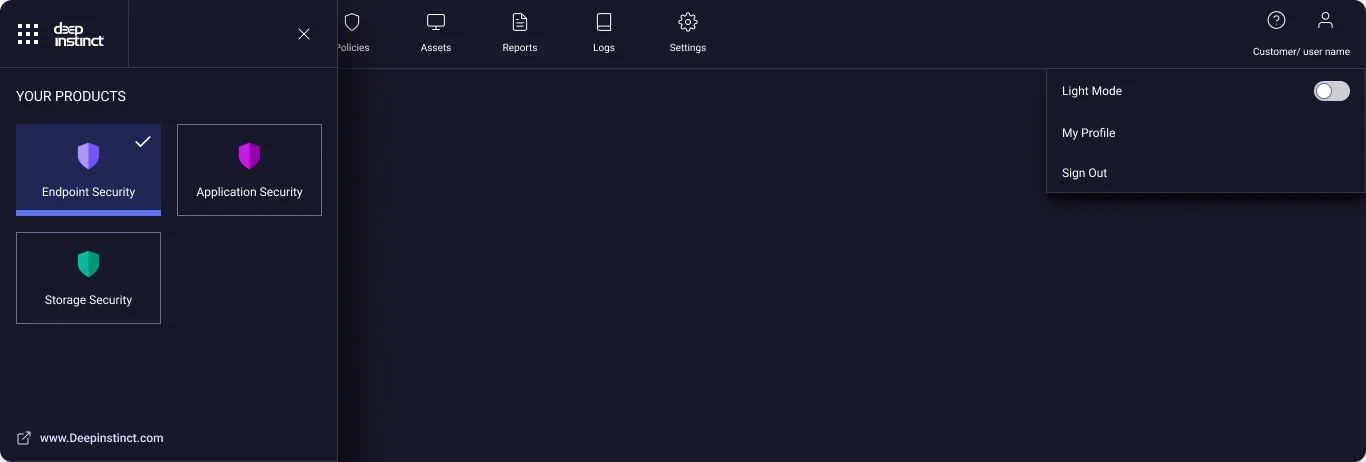
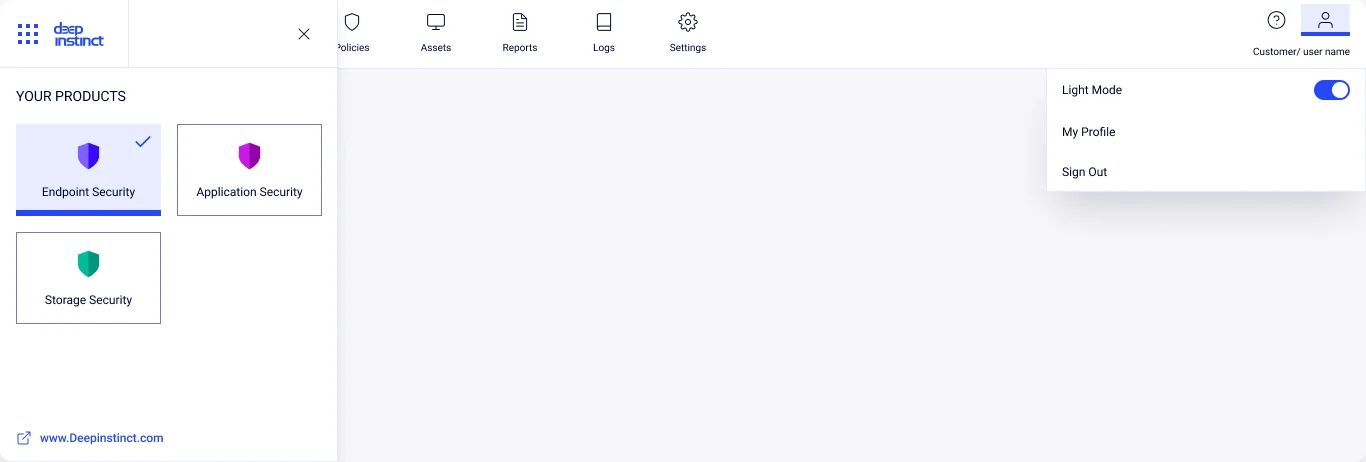
A light mode alongside dark, so the console fits each team’s environment and preference.
Accessible by default
The call
Meet WCAG AA: widgets work with a mouse or the keyboard alone, with a choice of colour options.
The legacy
Every accessibility decision documented, as a guide for the team’s future development.
03
Discovery: take the old console apart
We mapped every screen, audited how competitors show threat data, and walked the four journeys teams run most. Each screen was annotated with what hurt and what worked.
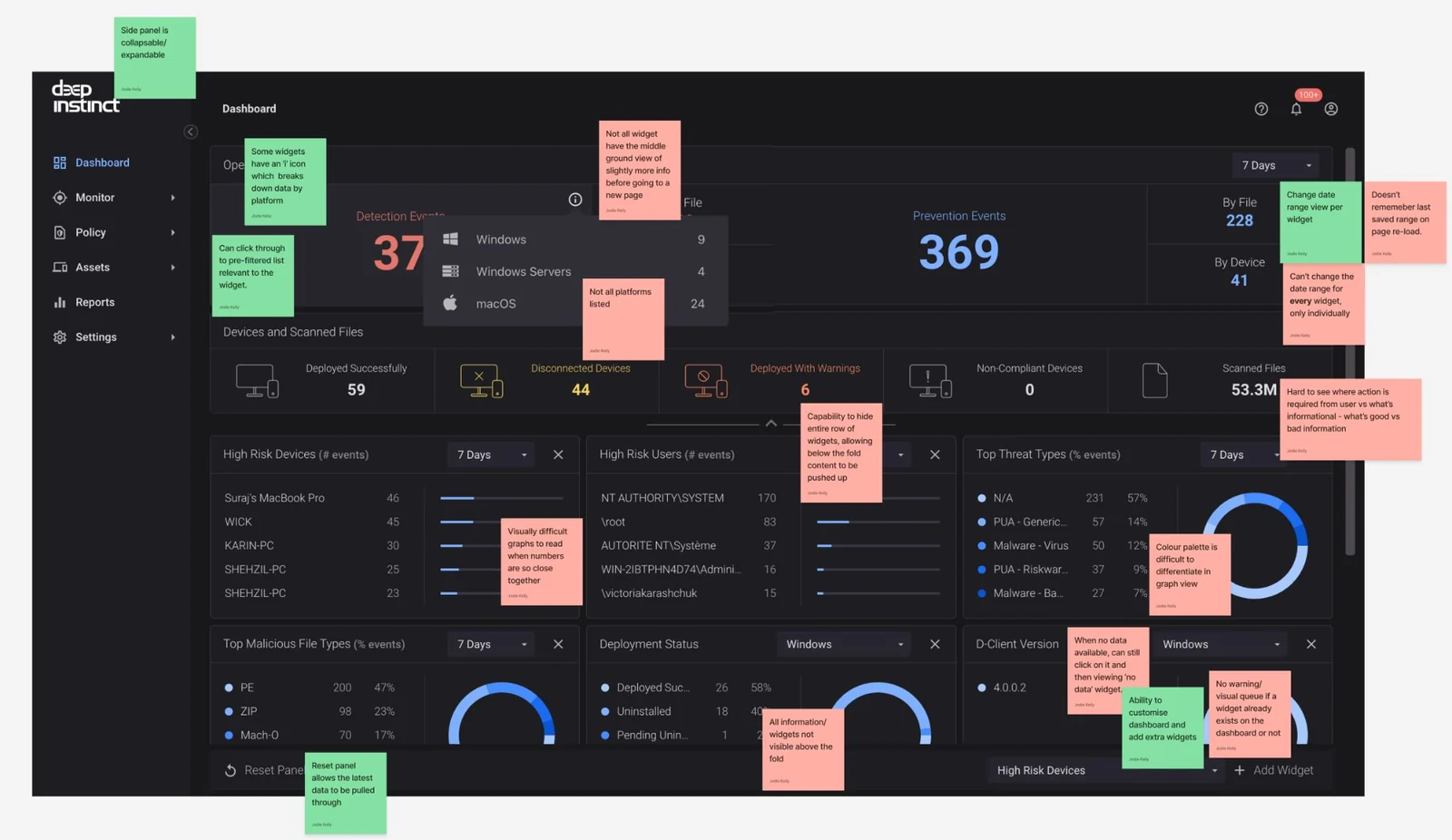
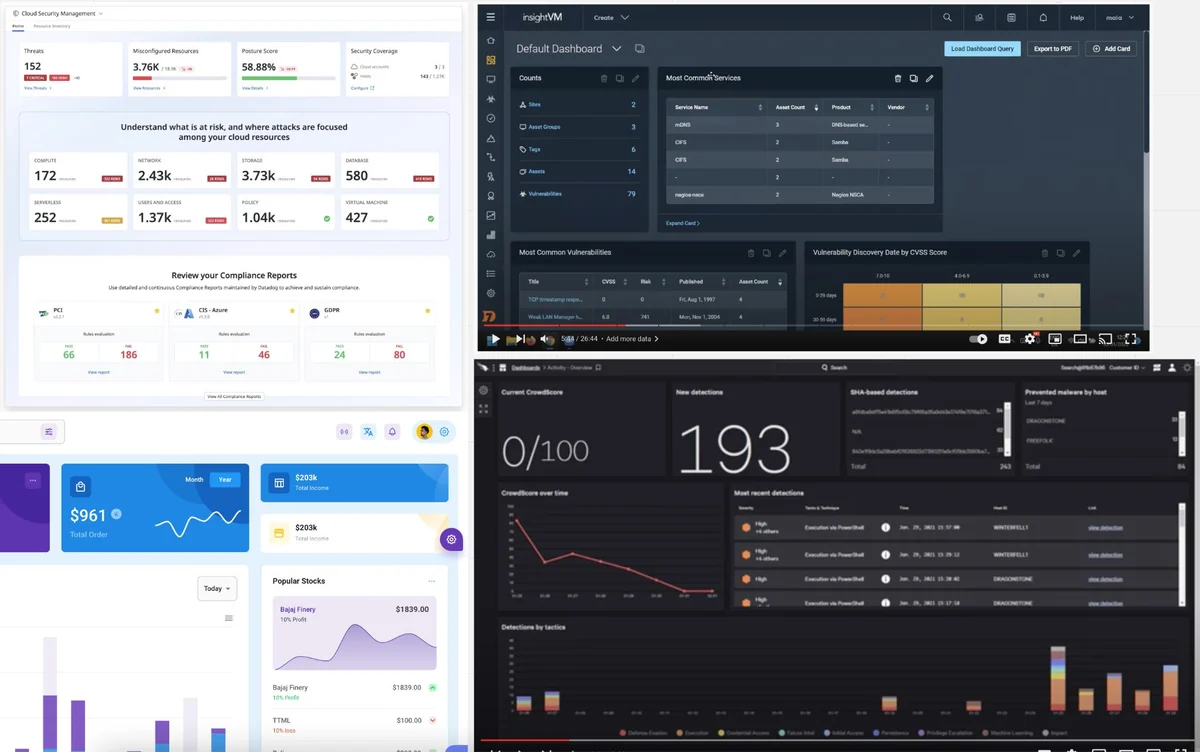
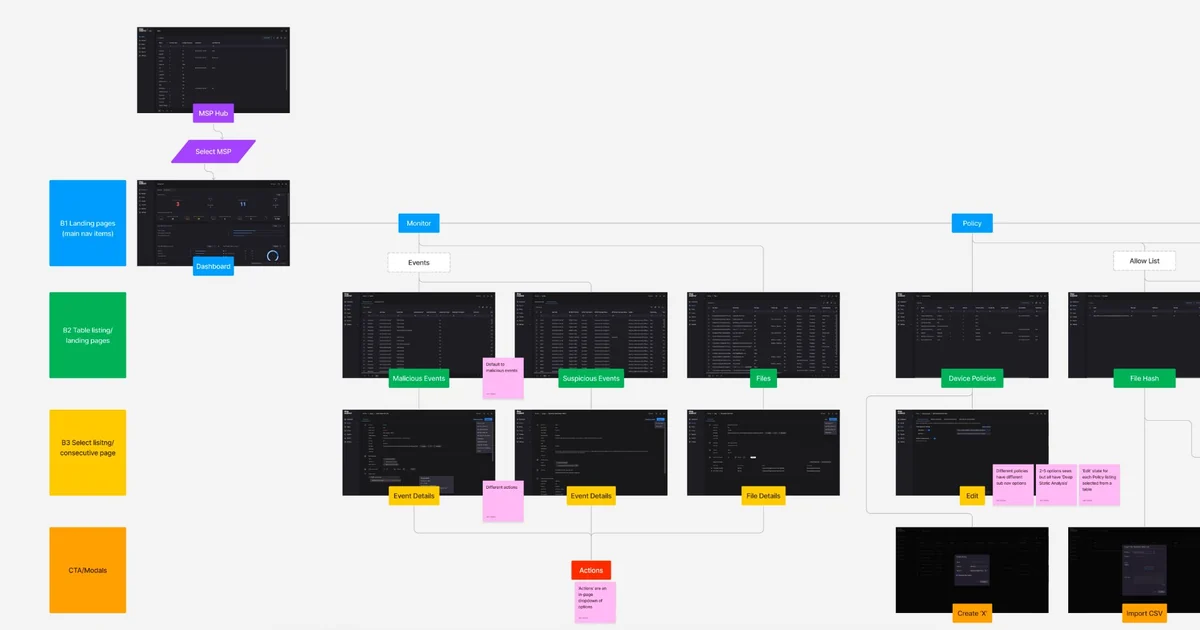
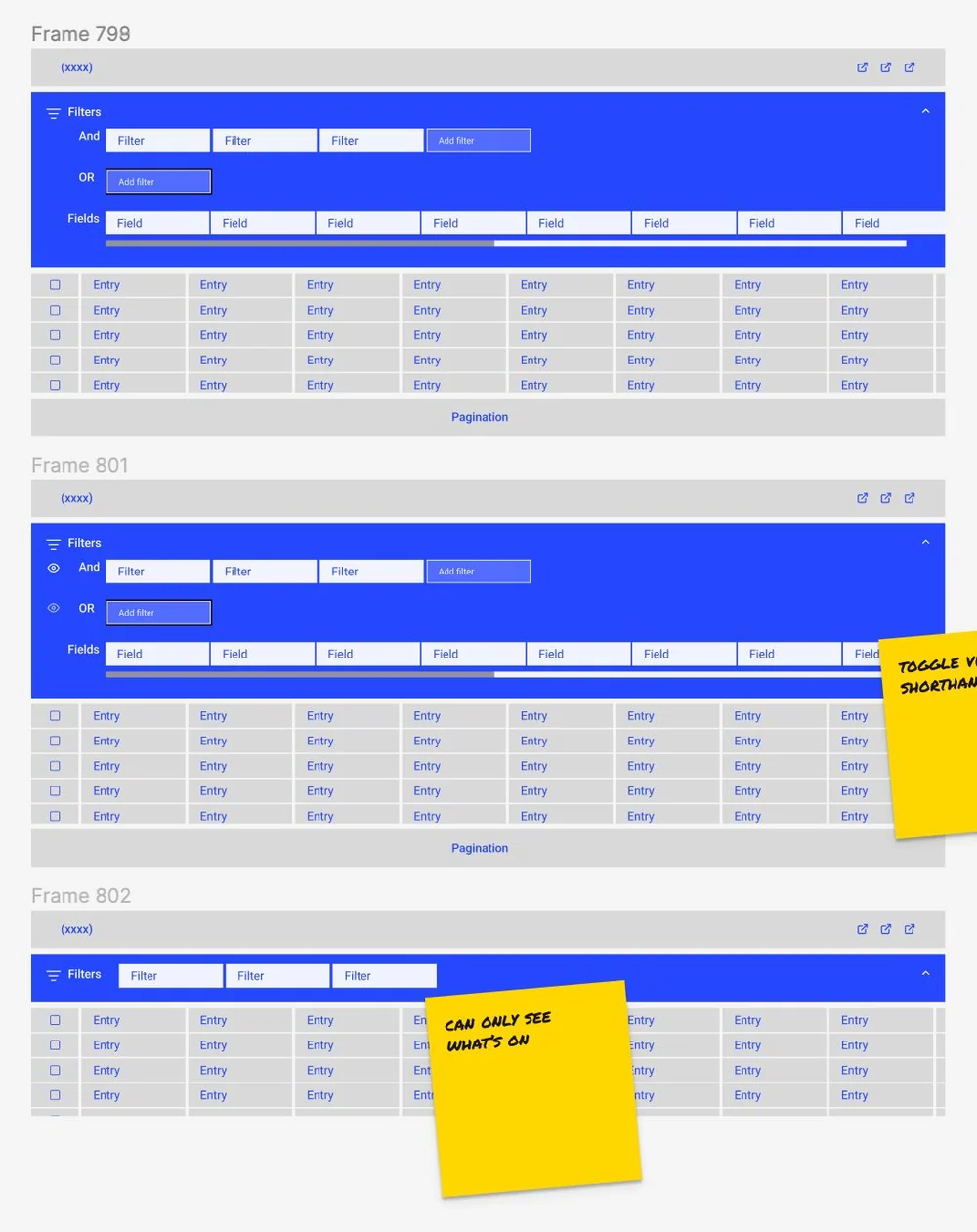
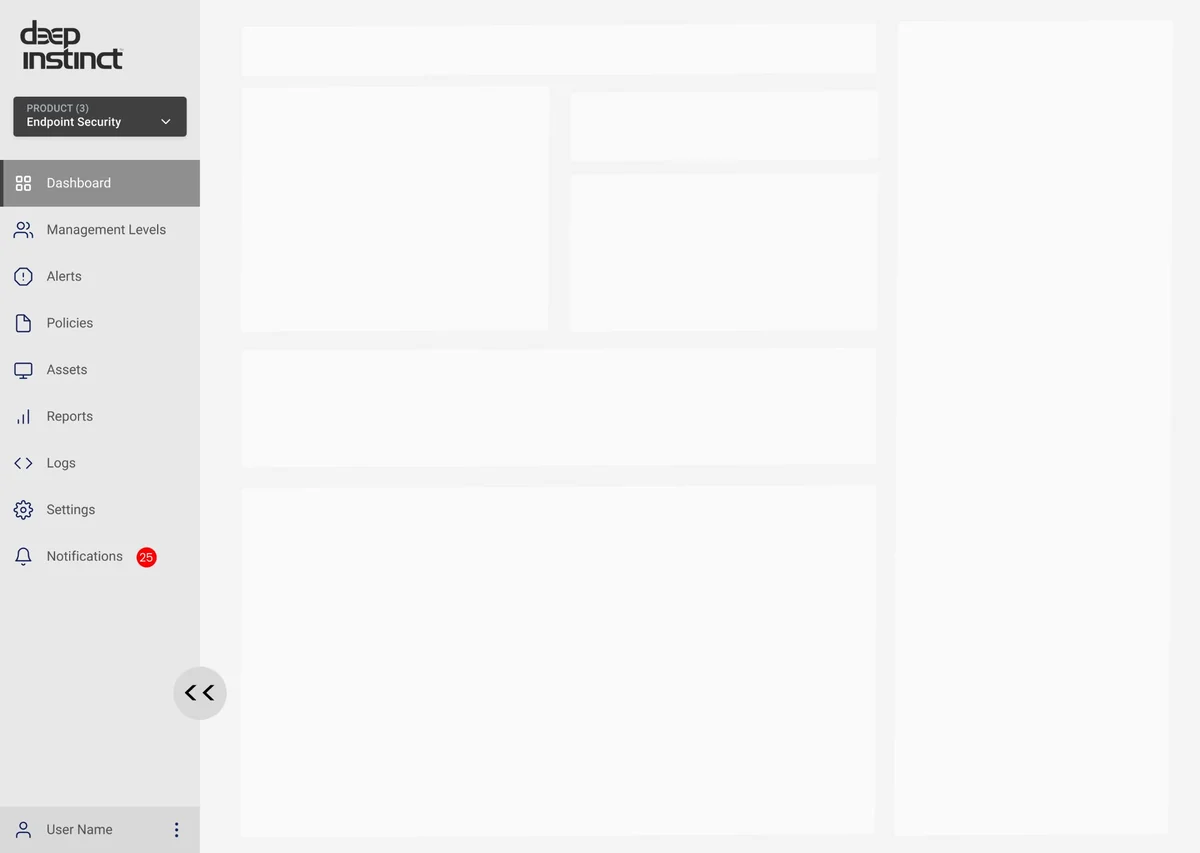
From audit to wireframe. Four journeys mapped, 34 existing components inventoried, and the two that hurt most — filters and navigation — rebuilt first.
04
Three ways to tell the story
Deep Instinct stops most threats before they land, so the dashboard has to prove its value on a quiet day. We explored widgets one by one, then built three concepts around that story.
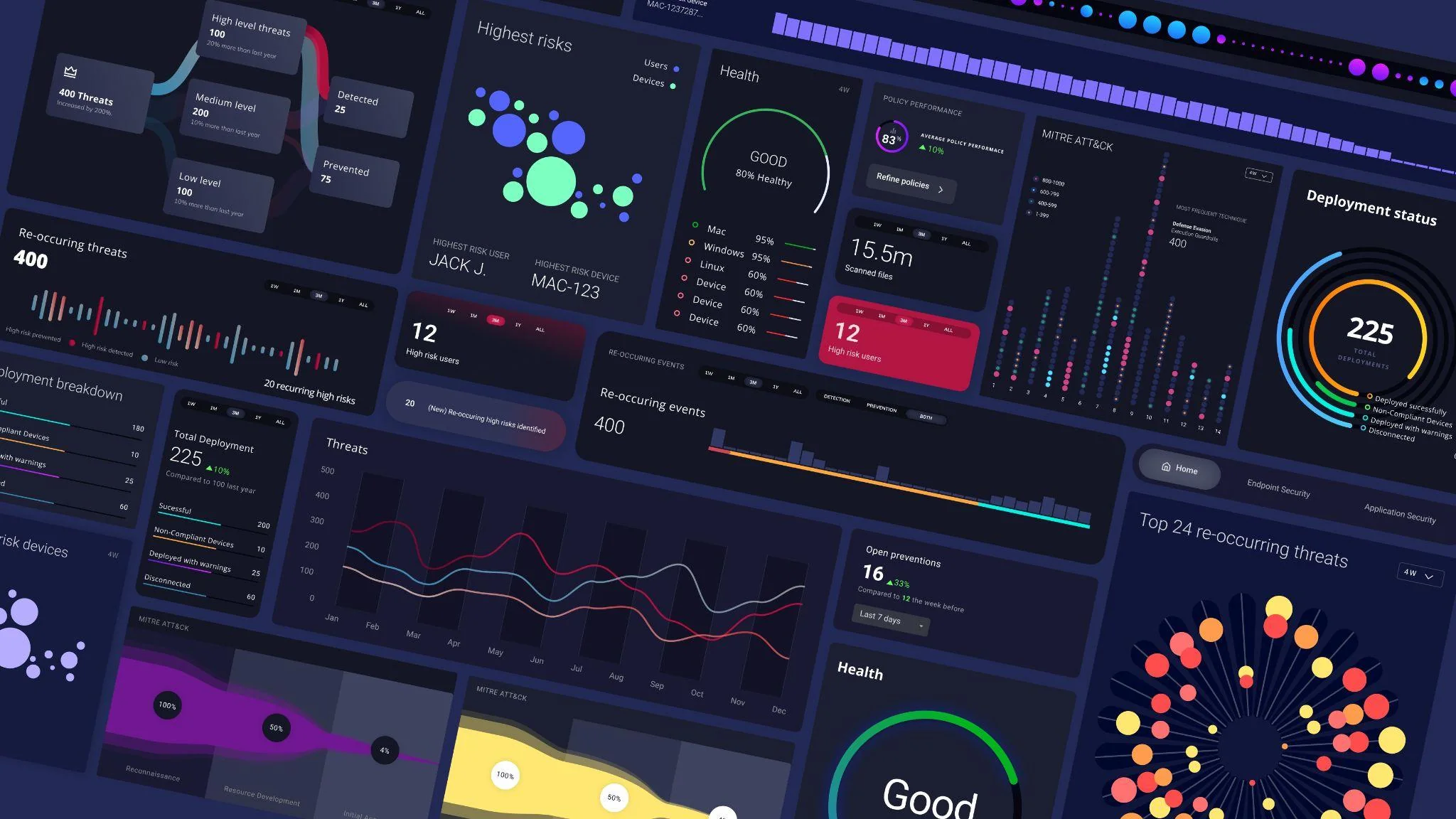
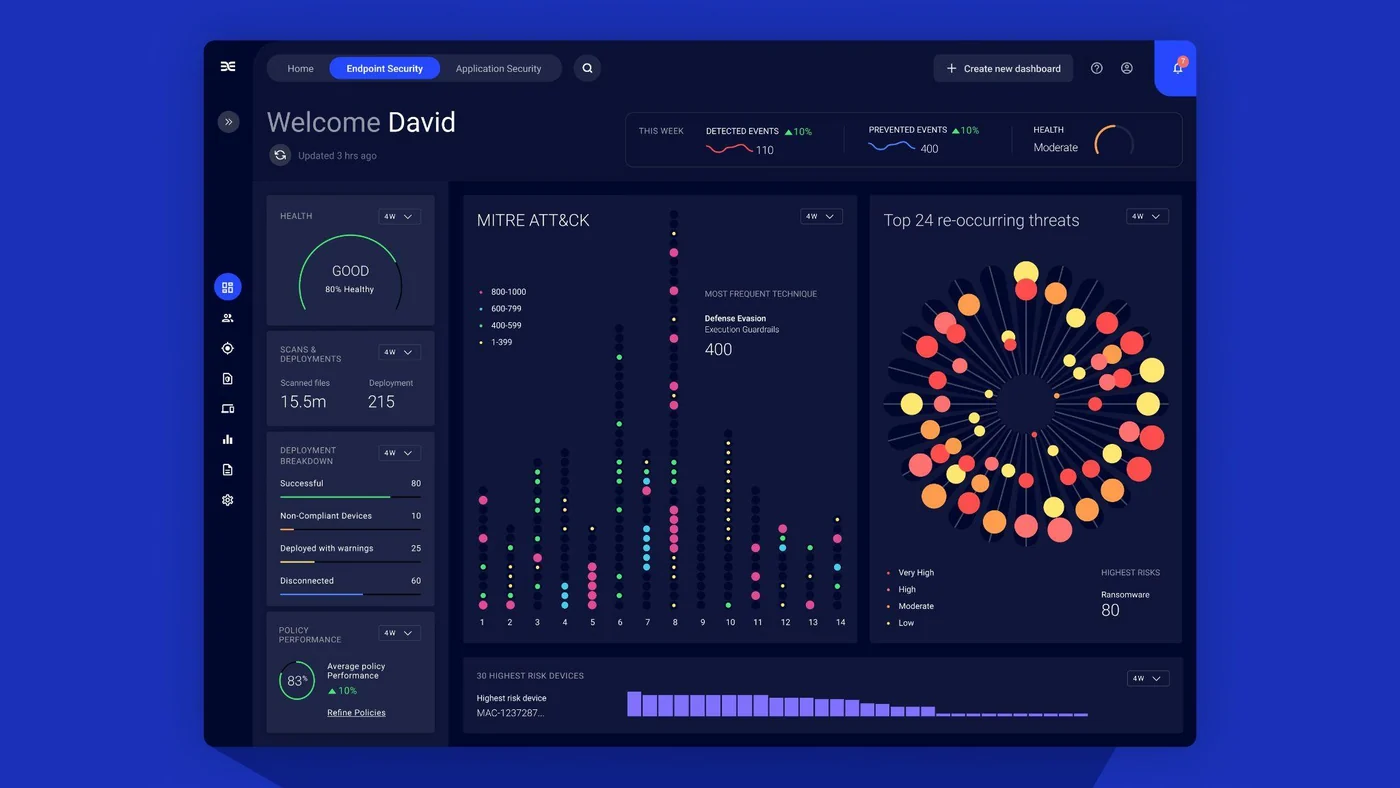
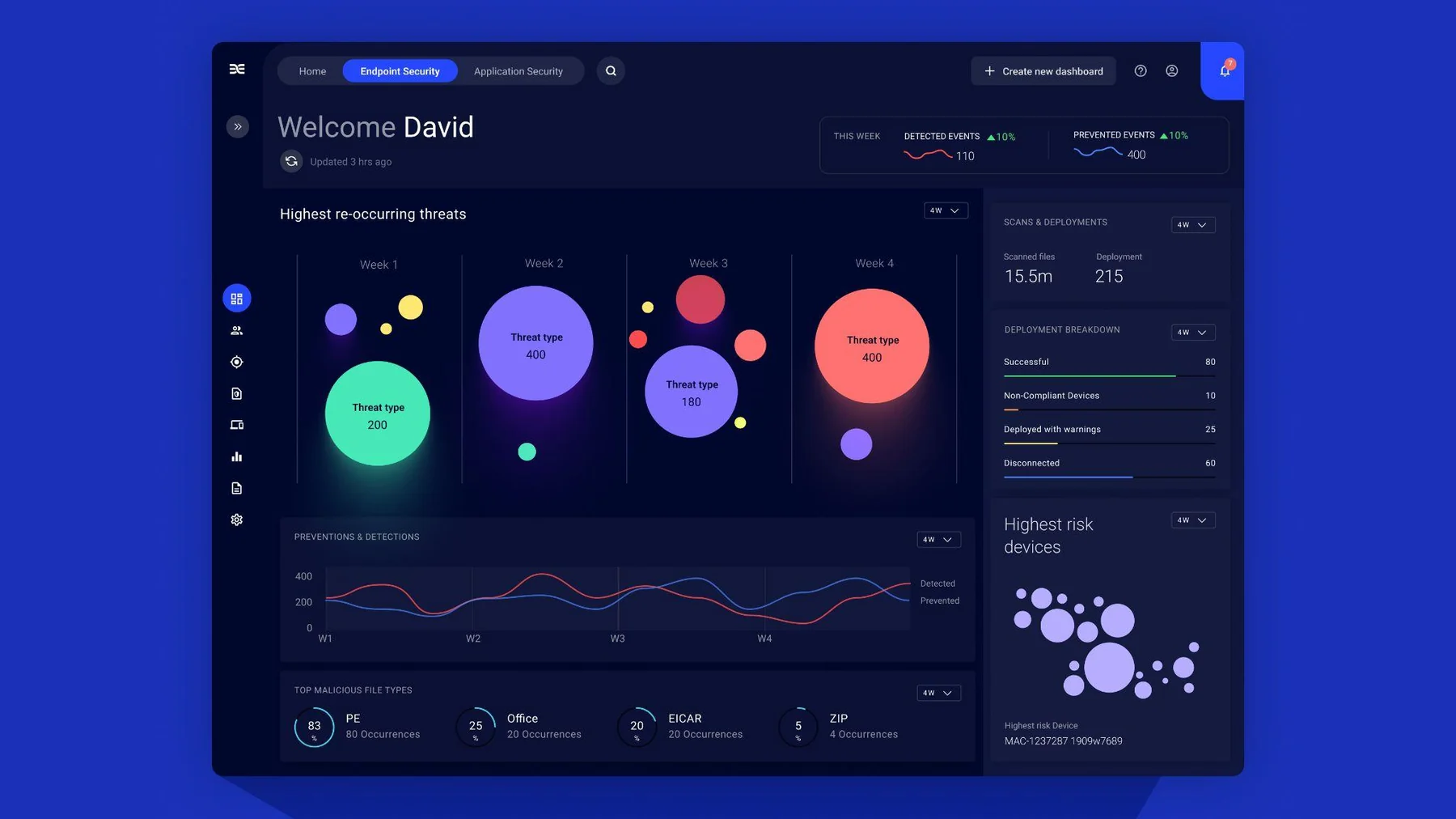
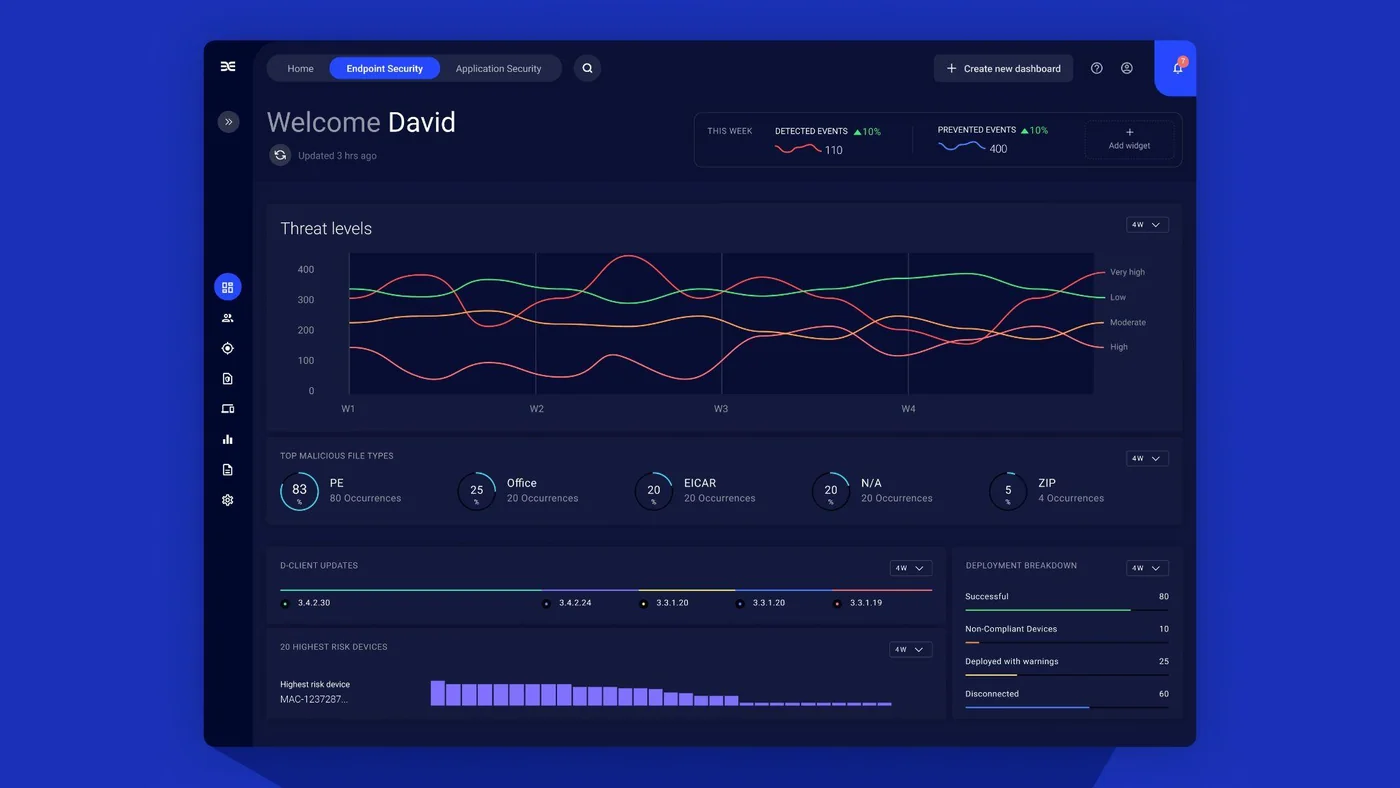
Circular trends plots recurring threat types by volume. Waves of severity shows severity by day and the endpoints most at risk. MITRE mapping leads with network health, then shows where threats sit on the MITRE framework.
05
Designing the console
Two streams organise every view, so teams see what was stopped, what got through, and what to do about it.
- 01Prevented
- 02Detected
- 03Plan the response
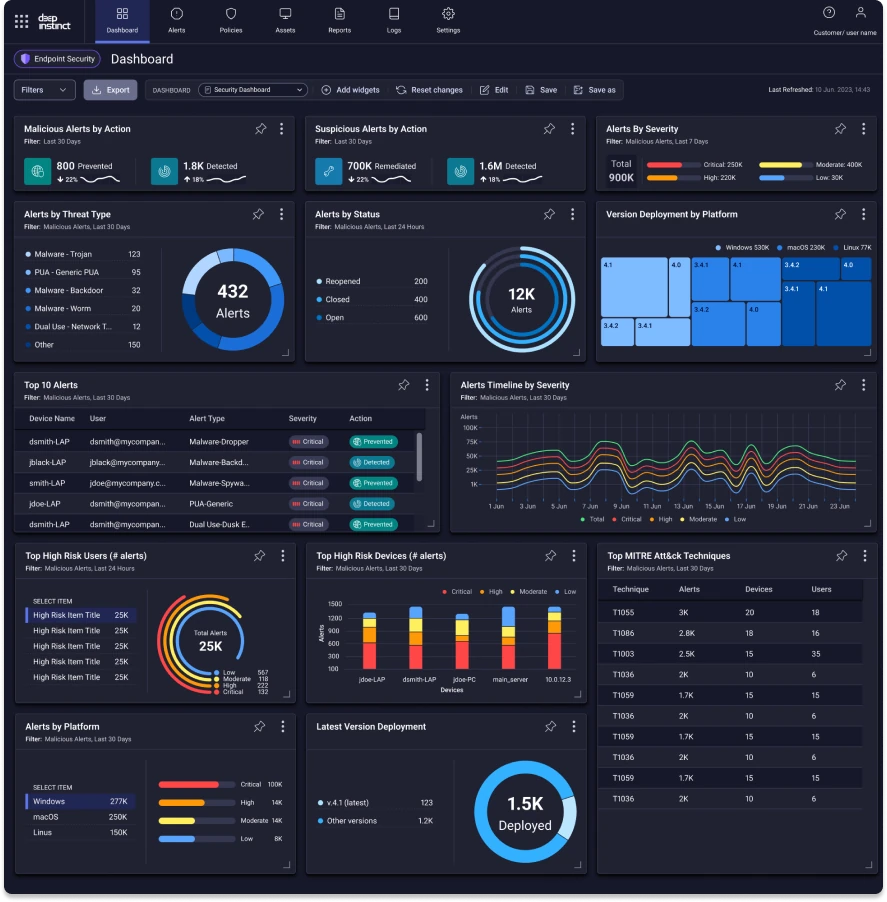
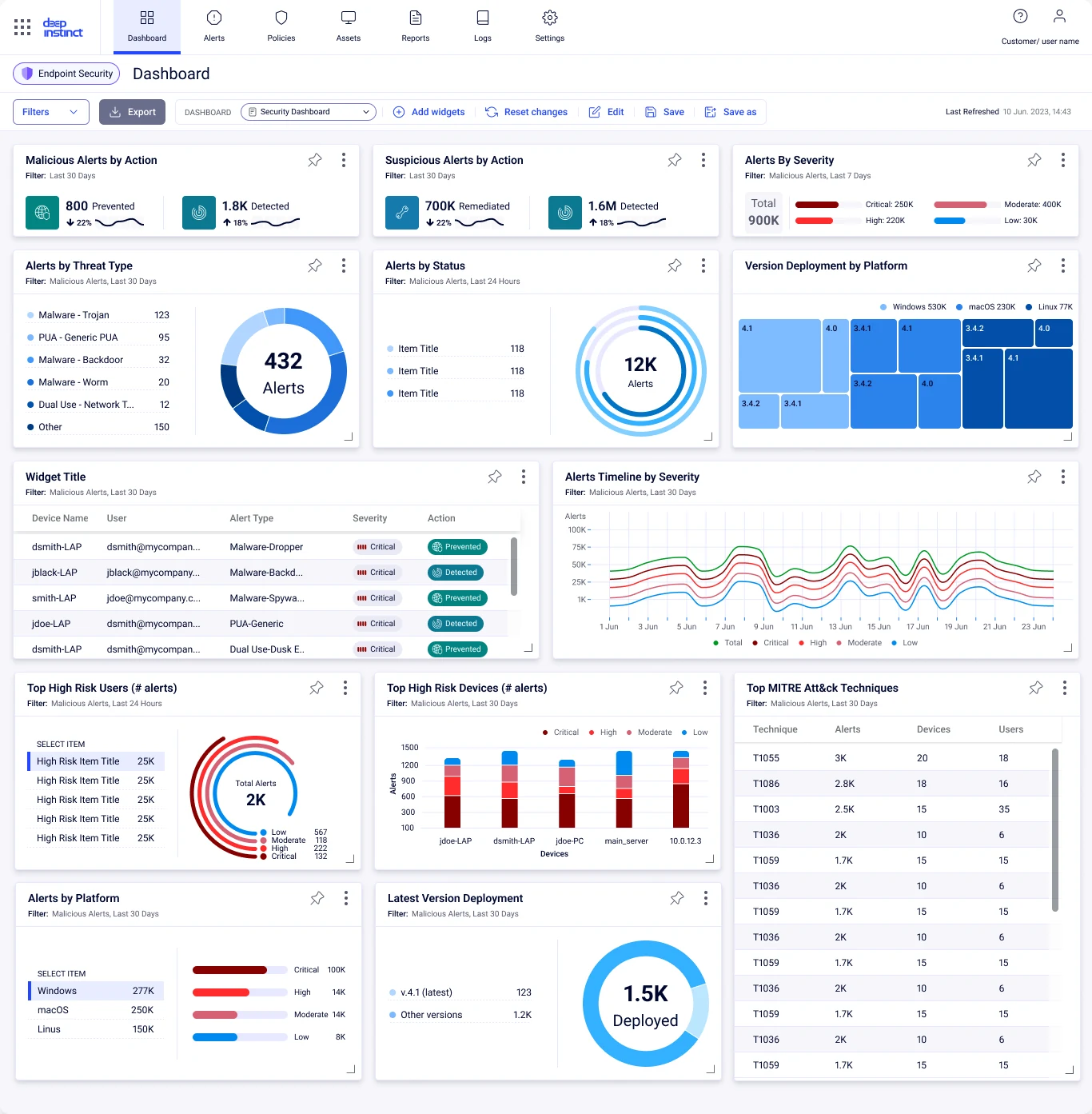
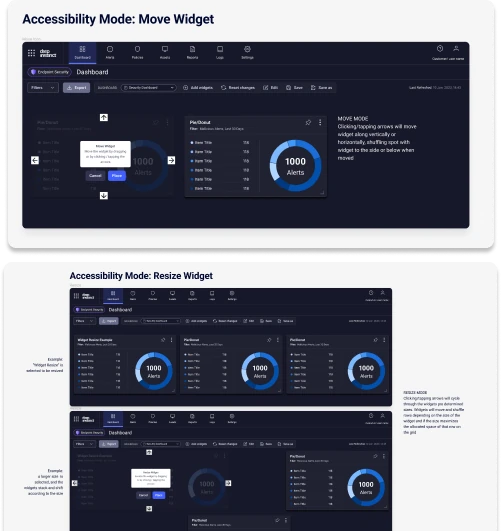
The console, dark and light. Severity, status and threat type read at a glance, and every widget opens up for drill-down and customization. Widgets can be moved and resized from the keyboard, not just dragged with a mouse — part of meeting WCAG AA.
06
One design system, light and dark
The console is built from one Figma library of tokens, elements and components. Every piece is drawn for light and dark, with hover, focus, keyboard-tabbed and disabled states, so design and engineering work from the same source.
- 5
- token foundations: colour, type, layout, icons, shadows
- 13
- elements, from buttons and inputs to tabs and toolbars
- 17
- component families, from filters and tables to MITRE
- 2
- modes for every piece: light and dark
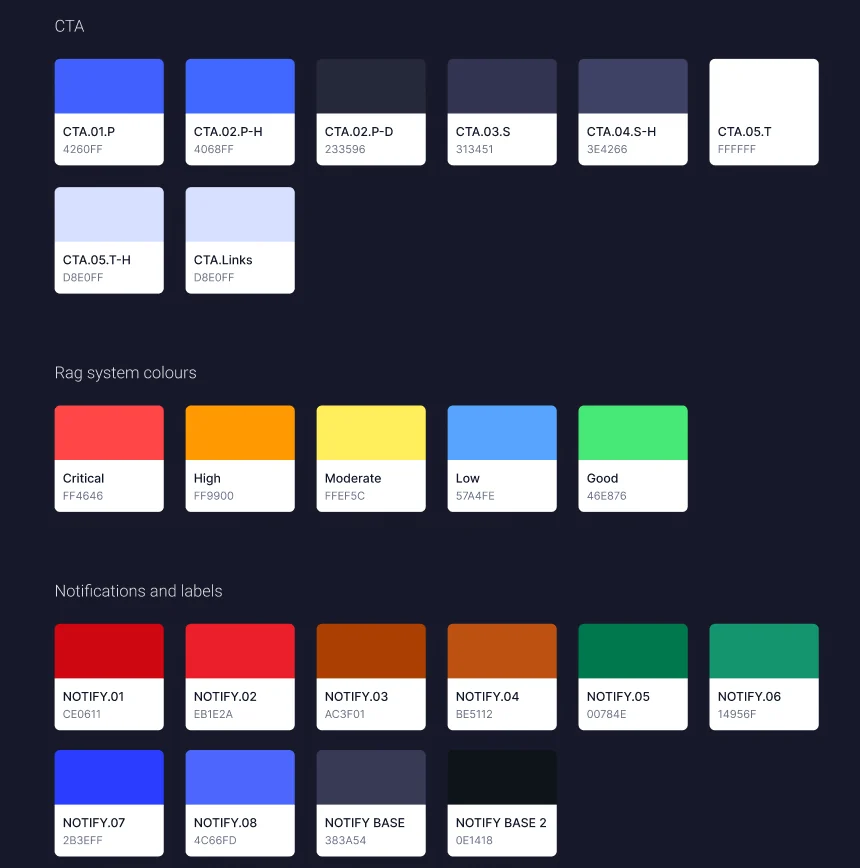
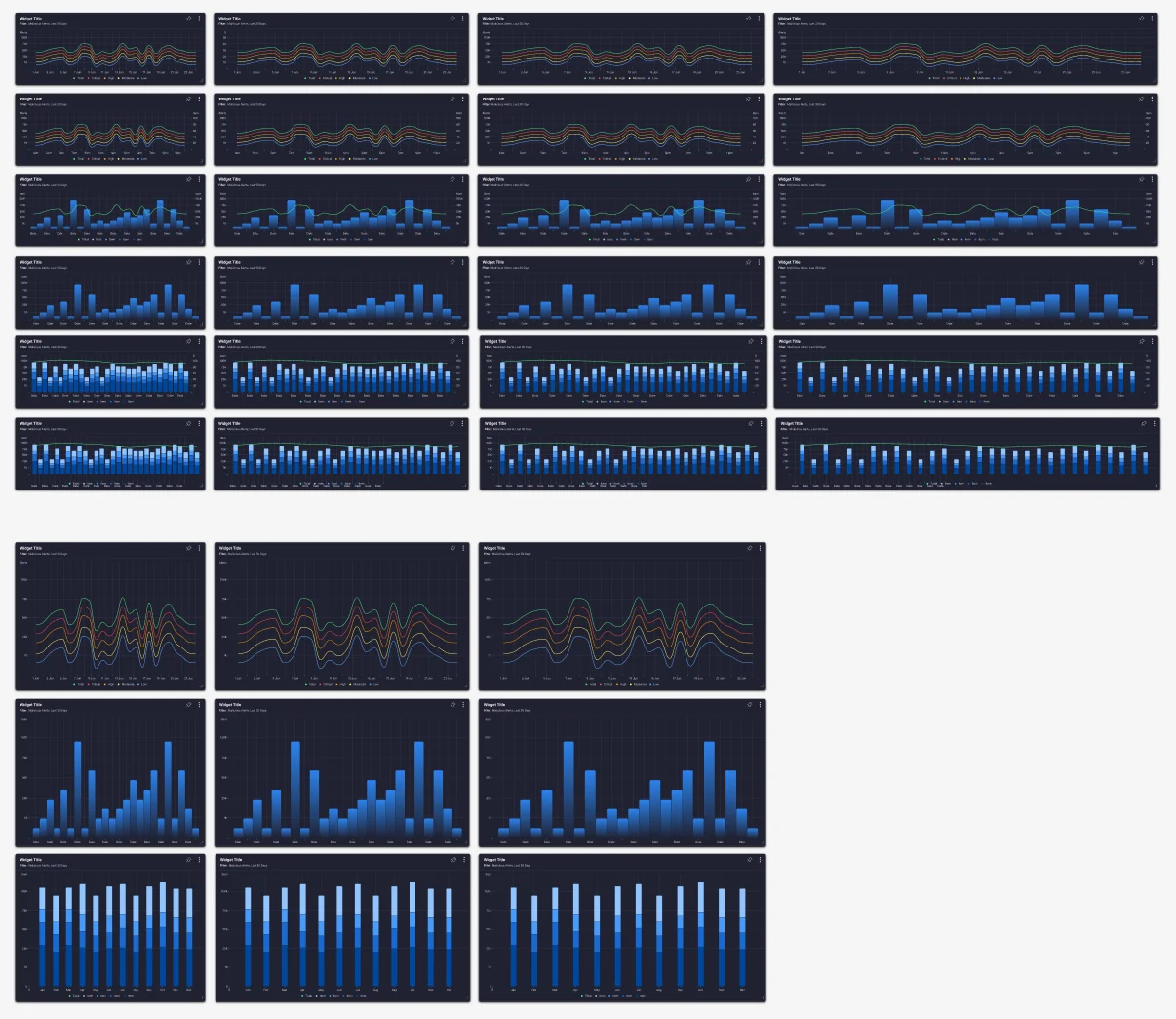
From tokens to widgets. Severity colours are tokens, and widgets come in set sizes, so a rearranged dashboard still holds together.
07
The team
I oversaw the project and worked between Deep Instinct and my team, listed below. I set the project up with the client, so everyone knew what a better console had to do for their customers, then stayed close as the link between the two: bringing the client’s feedback to the team, and the team’s thinking back to the client. The team led the craft. Design and engineering moved together through a re-architecture from Angular, Python and AWS to React, with a dedicated accessibility specialist on the team.
- UX & UI designSusanna Ward, Jodie Ballantyne, Alex Iannatuono
- Front-end engineeringAlan Lyles
- AccessibilityGary Hetherington
08
Outcomes
A console, not just a dashboard
Customers drill into data and shape their own views.
WCAG AA throughout
Keyboard-operable widgets, colour options and documented decisions.
A modern React foundation
Re-architected from Angular, Python and AWS to React.
09
Reflection
Cybersecurity tools come down to balance. The data visuals have to carry high-level monitoring, while the interface surfaces the key triage information at the right time.
When something needs action, anyone should be able to generate a report on a vulnerability, with the stats and data visuals that tell its story or help isolate the threat.